
Understand your plan
What this is
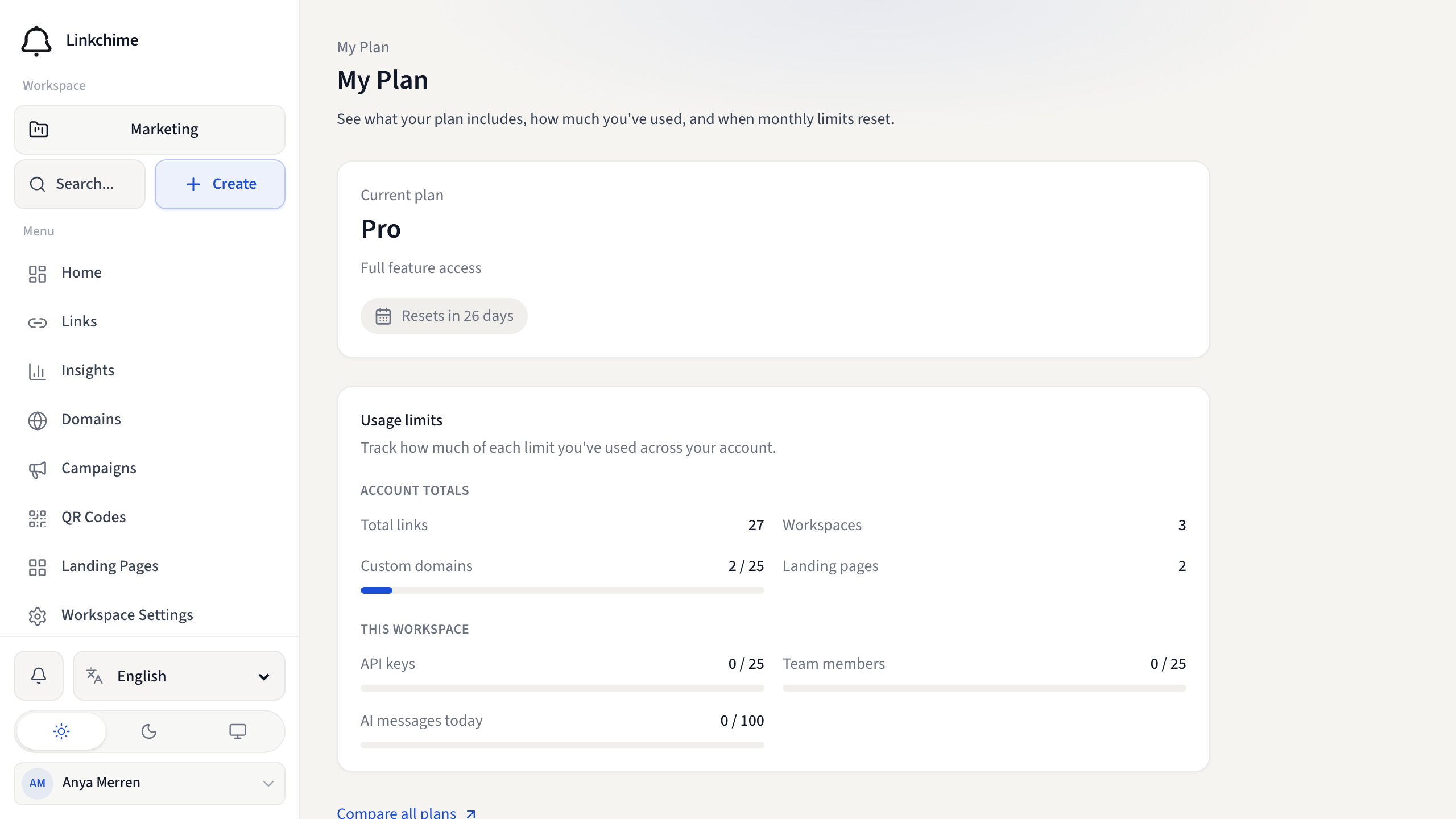
My Plan shows your current plan, what's included, and how much you've used of each limit.
Before you start
- You're signed in.
Steps
- Click your profile icon → My Plan (or open My Plan from the user menu).
- Review your Current plan name.
- Scroll through Usage limits to see meters for:
- Total links — across all workspaces
- Workspaces
- Custom domains
- Landing pages
- Links created — this calendar month
- Tracked clicks — this calendar month
- API keys — in the current workspace
- Team members — in the current workspace
- AI messages today
- Note when monthly limits Reset (shown as days remaining).
What happens next
Use this page to check if you're approaching a limit before creating links or inviting members.
Tips
- Usage meters also appear on Home and the Links page.
- Click Compare all plans to see every feature and limit.
Related pages
Ready to try it?
Create a free account and put these guides to work on your next campaign.